
Smart Home Floorplan
Early AccessTransform your Home Assistant into a visual command center
Currently in Early Access. Core features are stable, polish and advanced workflows are evolving.
Control and monitor all lighting throughout your home with smart switches and dimmers.
Never Forget Where Things Are
Visual map of all your sensors, cameras, and devices. Know exactly where that motion sensor is when it triggers.
Identify Issues Instantly
See when devices stop working or go offline. Know which devices need battery replacement at a glance.
Security Overview
View security camera coverage and sensor placement for complete home surveillance and peace of mind.
Early Access
Draw Your Floorplan
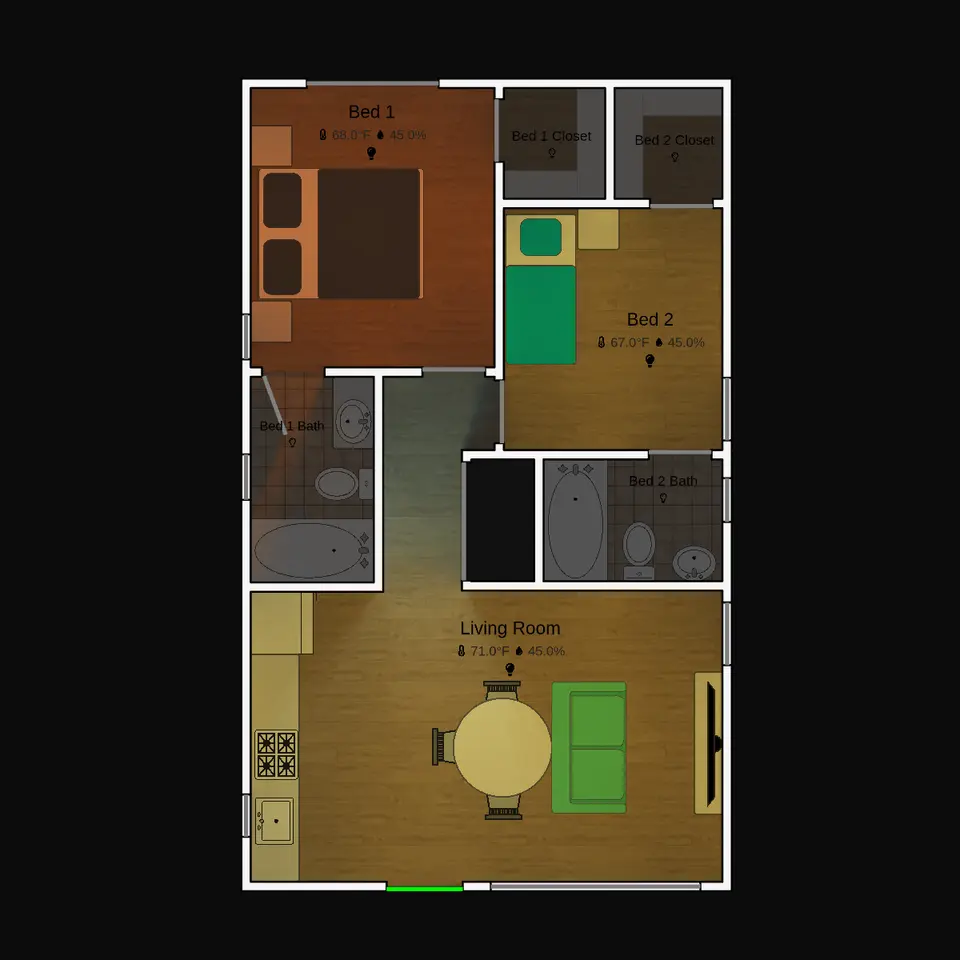
Draw walls, doors, windows, and create a digital floorplan of your home. Place your devices from Home Assistant on the floorplan.
See What's Up With Your Devices
Real-time connection to your Home Assistant devices. Get live updates showing device states, battery levels, and online/offline status.
See What Lights Are On
Visualize light coverage, temperature zones, and detection coverage areas for cameras and motion sensors.
How Hot is It in Your Home?
See temperature zones throughout your home. Identify cold and hot spots.
Multi-Floor Support
Manage multiple floors and levels in your home. Switch between floors easily and maintain separate layouts for each level.
Improved Device Interactivity
Control lights, adjust thermostats, and interact with your devices directly in the floorplan. View detailed status information.
Where Are Your WiFi Dead Zones?
See WiFi signal strength, humidity levels, and other environmental data visualized across your home.
Furniture
Add furniture and objects to your floorplan for more realistic representations and better device placement planning.
More Device Types
Continuous expansion of supported device types, as well as device configuration presets.
Offline Mode
Full functionality without internet connection when used with Home Assistant. View and edit your floorplans even when disconnected.
Scenarios Mode
Fire scenarios, security scenarios, and emergency planning tools. Test how your system responds in different situations.
Privacy Mode
Keep all your floorplan and device data on your Home Assistant instance.
Help us prioritize features and give feedback. Join our Discord community to share your ideas and shape what we build next.
Join Discord Community